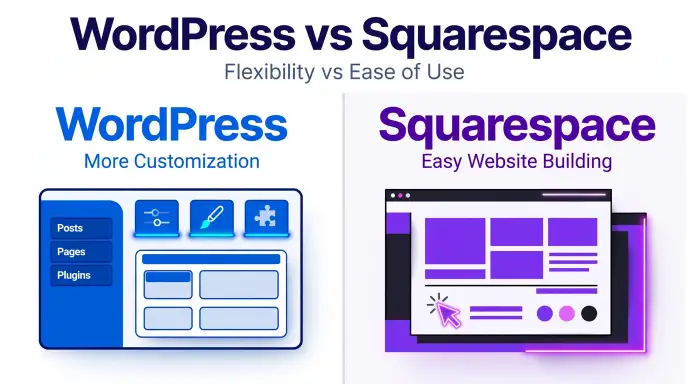
WordPress is generally better for flexibility and customization, while Squarespace is often better for beginners who want an easy, all-in-one website builder. The right choice depends on your goals, budget, and technical skills.
When people search for WordPress or Squarespace, they usually want to know which platform is best for blogging, business websites, online stores, or search engine optimization . Both platforms help users build websites, but they offer different levels of control and convenience.
WordPress gives you more freedom to customize your website with themes, plugins, and additional tools. However, a self-hosted WordPress site requires separate hosting and regular maintenance. Squarespace combines website-building tools, hosting, and design templates in one service, which makes it easier for many beginners to get started.
Choosing the right platform can affect your website’s cost, design, , options, and future growth. This guide explains their main differences, provides practical examples, and helps you decide which platform suits your needs.
WordPress or Squarespace – Quick Answer
Choose WordPress for greater control and customization. Choose Squarespace for easier setup and convenient website management.
- WordPress: Best for blogs, content-heavy websites, and projects that need custom features.
- Squarespace: Best for portfolios, small business websites, and users who prefer an all-in-one service.
For example, a writer who plans to publish hundreds of articles may prefer WordPress. A photographer who wants a polished portfolio with less technical work may prefer Squarespace.
Both platforms can create professional websites. Your needs should determine which one you choose.
Definition and Meaning of WordPress or Squarespace
What Is WordPress?
WordPress is an open-source content management system. It lets users create, edit, organize, and publish website content.
It can power blogs, business websites, online stores, educational websites, and many other projects. Users can change the design with themes and add features through plugins.
WordPress has two main versions:
- WordPress.org: The self-hosted software. You usually arrange your own hosting and domain.
- WordPress.com: A hosted service with plans that offer different features and levels of control.
Its main strength is flexibility. You can start with a basic blog and add more features as your website grows.
What Is Squarespace?
Squarespace is a hosted website-building platform. It combines design tools, hosting, templates, and website management features in one service.
Users can build pages, publish blog posts, display portfolios, and sell products. Its visual editor helps people create websites without needing to write code.
Squarespace is known for its design-focused templates and simple setup.
Its main strength is convenience. Many website tasks can be managed from one platform instead of separate services.
How Are They Different?
WordPress focuses on flexible content management and customization. Squarespace focuses on a more guided website-building experience.
Both platforms support business websites, blogs, and online stores. The main difference is how much control you want and how much technical work you are willing to manage.
The Origin of WordPress and Squarespace
WordPress launched in 2003 as a blogging platform. Over time, it developed into a widely used content management system that supports many types of websites.
Its open-source structure allows developers to create themes, plugins, and other tools. Website owners can use these tools to add features and change their sites.
Squarespace was also founded in 2003. It developed as a service that helps people build websites through integrated design and hosting tools.
The platform became known for its polished templates and visual design features.
WordPress and Squarespace are brand names, not alternative spellings of the same word. Their names do not change between British and American English.
British English vs American English Spelling
WordPress and Squarespace keep the same spelling in British English and American English. They are proper names, so regional spelling rules do not change them.
| Detail | WordPress | Squarespace |
| Correct spelling | WordPress | Squarespace |
| British English | WordPress | Squarespace |
| American English | WordPress | Squarespace |
| Word type | Brand name | Brand name |
| Main purpose | Content management | Website building |
| Typical strength | Customization | Ease of use |
Remember the correct capitalization: Write WordPress with a capital W and P. Write Squarespace with a capital S.
These forms should stay consistent in articles, emails, reports, and social media posts.
Which Platform Should You Use?
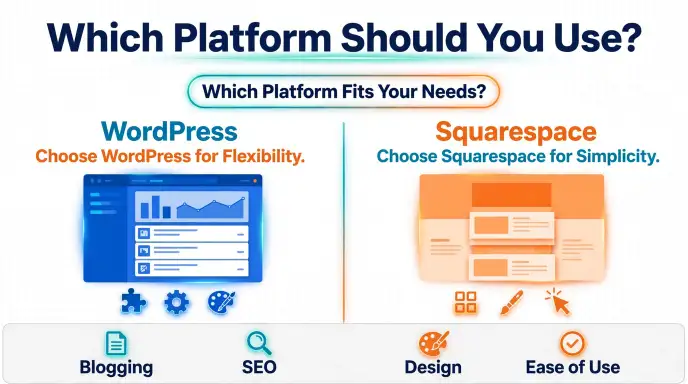
The best platform depends on your website goals and the amount of control you need.
Choose WordPress for Flexibility
WordPress may suit you if you:
- Want to publish many articles or blog posts.
- Need advanced customization.
- Want access to a large range of plugins.
- Plan to add new features as your site grows.
- Prefer greater control over hosting and website settings.
WordPress is a strong option for content-heavy websites that need flexible publishing tools and custom features.
Choose Squarespace for Ease of Use
Squarespace may suit you if you:
- Want to build a website quickly.
- Prefer ready-made design templates.
- Do not want to manage separate hosting.
- Need a portfolio or small business website.
- Prefer visual editing tools over technical setup.
Squarespace is a practical option for beginners who want a professional-looking website with less maintenance.
Which Is Better for ,?
Both platforms provide tools for search engine optimization. You can use page titles, meta descriptions, readable URLs, and other , features.
WordPress offers more options through plugins and custom settings. Squarespace includes many essential , tools within its platform.
Neither platform guarantees higher Google rankings. Helpful content, website speed, technical quality, and user experience also matter.
Common Mistakes When Comparing WordPress and Squarespace
People often make incorrect assumptions when choosing between these platforms.
- Mistake 1: Thinking WordPress is always free. The software is free, but hosting, domains, premium themes, and plugins may cost money.
- Mistake 2: Assuming Squarespace cannot support ,. Squarespace includes useful , features, even though WordPress offers more customization.
- Mistake 3: Believing WordPress always requires coding. Many WordPress websites can be built with themes and visual page builders.
- Mistake 4: Assuming Squarespace is always cheaper. Costs depend on your plan, extra services, and required features.
- Mistake 5: Choosing only by appearance. Design matters, but content tools, performance, accessibility, and future needs matter too.
- Mistake 6: Expecting instant search rankings. Neither platform guarantees traffic or top positions in search results.
Compare the features you need instead of relying on general claims.
WordPress or Squarespace in Everyday Examples
These examples show how each platform can fit different needs.
Example 1: A Personal Blog
A writer wants to publish several articles each week and organize them into categories. WordPress may be a better choice because it offers flexible publishing tools.
Example 2: A Photography Portfolio
A photographer wants to display images, share contact details, and attract clients. Squarespace may be a convenient option because of its design templates and integrated tools.
Example 3: A Small Business Website
A business needs service pages, contact forms, and information about its products. Either platform can work. The best choice depends on its budget and required features.
Example 4: An Online Store
A business plans to sell products and expand its store over time. WordPress with WooCommerce offers many customization options, while Squarespace provides integrated commerce features that vary by plan.
Example 5: A Professional Email
A team might write, “We should compare WordPress and Squarespace before selecting our website platform.”
Both names are correct and properly capitalized.
Example 6: A Social Media Post
A blogger might say, “WordPress offers more customization, while Squarespace makes website building easier for many beginners.”
In each example, the names remain unchanged. Only the website’s needs affect the choice.
WordPress or Squarespace – Google Trends and Usage Data
Search interest in WordPress and Squarespace can vary by country, audience, and time. WordPress is often associated with blogging, content publishing, and website customization. Squarespace is often considered by people who want design-focused websites and integrated tools.
However, search interest does not prove which platform is better. Google Trends shows relative search interest, not the exact number of websites built with each platform.
To compare their popularity, open Google Trends and enter “WordPress” and “Squarespace.” Select the same country and time range for both terms.
Consider these factors:
- Country: Search interest may differ between the United States, the United Kingdom, and other regions.
- Purpose: People may search for tutorials, pricing, comparisons, or troubleshooting.
- Time period: Interest changes as products and user needs change.
- Data limits: Search popularity does not measure website quality or user satisfaction.
Avoid giving exact country rankings or search figures unless you have checked current data.
WordPress vs Squarespace: Side-by-Side Comparison
| Feature | WordPress.org | Squarespace |
| Setup | Requires more initial work | Usually simpler |
| Hosting | Usually purchased separately | Included |
| Design | Highly customizable | Template-based |
| Plugins | Large ecosystem | More limited extensions |
| , | Flexible and expandable | Built-in tools |
| Maintenance | More user responsibility | Mostly platform-managed |
| Blogging | Strong for complex blogs | Suitable for many blogs |
| Online stores | WooCommerce and other tools | Built-in commerce features |
| Costs | Depend on hosting and extras | Subscription-based |
| Best for | Control and flexibility | Convenience and design |
Note: WordPress.com is a hosted service, so its setup and features differ from self-hosted WordPress.org.
Frequently Asked Questions
1. Is WordPress better than Squarespace?
WordPress is often better for customization and complex websites. Squarespace may be better for beginners who want a simpler setup.
2. Is Squarespace easier to use?
For many beginners, yes. It combines hosting and website-building tools in one service.
3. Which platform is better for ,?
Both can support ,. WordPress offers more customization, but rankings depend on content quality and technical performance.
4. Is WordPress free?
The WordPress software is free, but a self-hosted website may need paid hosting, a domain, and optional tools.
5. Can I sell products on both platforms?
Yes. Both support online stores, but their features, fees, and integrations vary.
6. Which platform is better for blogging?
WordPress is a strong choice for large blogs and complex publishing needs. Squarespace works well for many smaller blogs.
7. Can I move from Squarespace to WordPress?
Yes. Some content can be exported and imported, but designs and certain features may need to be rebuilt.
Conclusion: WordPress or Squarespace?
Choosing between WordPress and Squarespace depends on your goals, budget, and technical skills. Both platforms can help you build a professional website, publish content, and reach your audience.
WordPress is a strong choice for flexibility, customization, and long-term growth. Its themes, plugins, and publishing tools support many types of websites. However, a self-hosted site usually requires you to manage hosting, updates, backups, and security.
Squarespace is a strong choice for simplicity, design, and convenient website management. Its integrated tools and templates make it appealing to beginners, freelancers, photographers, and small businesses.
Before making your decision, compare the total cost, , features, design options, and maintenance needs. Think about what your website needs now and what you may need in the future.
Ultimately, neither platform is best for every user. Choose WordPress if you value control and flexibility. Choose Squarespace if you value ease of use and convenience. The right platform is the one that helps you meet your goals without adding unnecessary work.
Improve Your Grammar Skills!

I’m Ethan Carter, a grammar-focused writer and English language enthusiast at SpellGrammar. I enjoy explaining confusing words, spelling differences, and grammar rules in clear, simple language. My goal is to help readers write with greater accuracy and confidence in everyday and professional English.




2 thoughts on “WordPress vs Squarespace: Features, Costs, and Key Differences”